
Before diving into the process, it’s crucial to understand what web scraping entails. Web scraping is the automated process of extracting data from websites. It involves writing code that sends requests to a website’s server and then parses the HTML to collect the desired information.
Summary
This guide outlines the full workflow for building a web scraper: choosing Python tools (Requests, BeautifulSoup, Scrapy), setting up your environment, inspecting the DOM, and writing structured, resilient code. It covers handling JavaScript-rendered pages with Selenium or headless browsers, storing results in formats like CSV/JSON or databases, and optimizing performance with error handling and concurrency. Legal and ethical best practices—respecting terms of service, robots.txt, and rate limits—are emphasized. Practical benefits and cross-industry applications highlight how automation speeds data collection while reducing manual errors.
The Basics of Web Scraping
Web scraping involves a series of steps starting from sending a request to the website’s server to receive the HTML content. This is followed by parsing the HTML to identify specific data points. Understanding HTTP requests and responses is fundamental, as these are the communications exchanged between your scraper and the web server.
How Web Scraping Works
At its core, web scraping involves mimicking the actions of a web browser to retrieve and process data. It requires knowledge of HTML structure, as this is where data is embedded. Scrapers use HTML tags and attributes to locate the data, making it essential to comprehend the Document Object Model (DOM) tree to navigate through the HTML efficiently.
Legal and Ethical Aspects of Web Scraping
While web scraping is powerful, it must be performed within legal boundaries. Always review a website’s terms of service to ensure scraping is permitted. Ethical considerations include respecting a website’s robots.txt file, which specifies which areas of the site can be scraped, and ensuring the scraper does not overload the server with requests.
Why Use Web Scraping?
Web scraping is beneficial for several reasons. It allows you to automate data collection, thereby saving time and reducing manual errors. It’s used in various fields such as research, marketing, and finance to gather vast amounts of data quickly and efficiently.
Automation and Efficiency
One of the primary advantages of web scraping is automation. By eliminating the need for manual data collection, web scraping can significantly increase efficiency. Scripts can run autonomously to gather data at scheduled intervals, ensuring timely and consistent data collection without human intervention.
Diverse Applications Across Industries
Web scraping finds applications across numerous industries. In e-commerce, businesses use it to monitor competitor prices and product availability. Researchers use it to collect large datasets for analysis, while marketers leverage it to gather consumer insights. Finance professionals use scraping to track stock prices and financial news.
Overcoming Manual Errors
Manual data collection is prone to human error, which can lead to inaccuracies. Web scraping minimizes these errors by automating the process. Scripts are designed to extract data consistently and correctly, reducing the likelihood of mistakes and ensuring data integrity.
Step 1: Choosing the Right Tools and Libraries
The first step in building a web scraper is selecting the right tools and libraries. Python is a popular choice due to its simplicity and the availability of powerful libraries like BeautifulSoup and Scrapy.
Python: The Preferred Language for Web Scraping
Python is favored for web scraping due to its readability and extensive library support. Its syntax is beginner-friendly, making it accessible to newcomers. Furthermore, Python’s community provides a wealth of resources and tutorials, making it easier to troubleshoot issues and optimize scraping scripts.
Python Libraries for Web Scraping
- BeautifulSoup: This library is used for parsing HTML and XML documents. It creates parse trees that help extract data easily. BeautifulSoup is ideal for small to medium-sized projects and is known for its ease of use and flexibility in navigating complex HTML structures.
- Scrapy: A comprehensive web crawling framework that can handle large-scale scraping projects. It’s fast and efficient for scraping multiple pages. Scrapy is designed for more advanced users who require robust scraping capabilities, such as handling pagination and managing large datasets.
- Requests: Often used alongside BeautifulSoup, the Requests library simplifies the process of sending HTTP requests. It allows you to interact with web servers effortlessly, enabling you to retrieve HTML content with minimal code.
Other Useful Tools
In addition to Python libraries, tools like Postman can be helpful for testing API endpoints before implementing them in your scraper. For dynamic content, headless browsers like Puppeteer or automation tools like Selenium can simulate user interactions, allowing you to scrape data loaded via JavaScript.
Step 2: Setting Up Your Environment
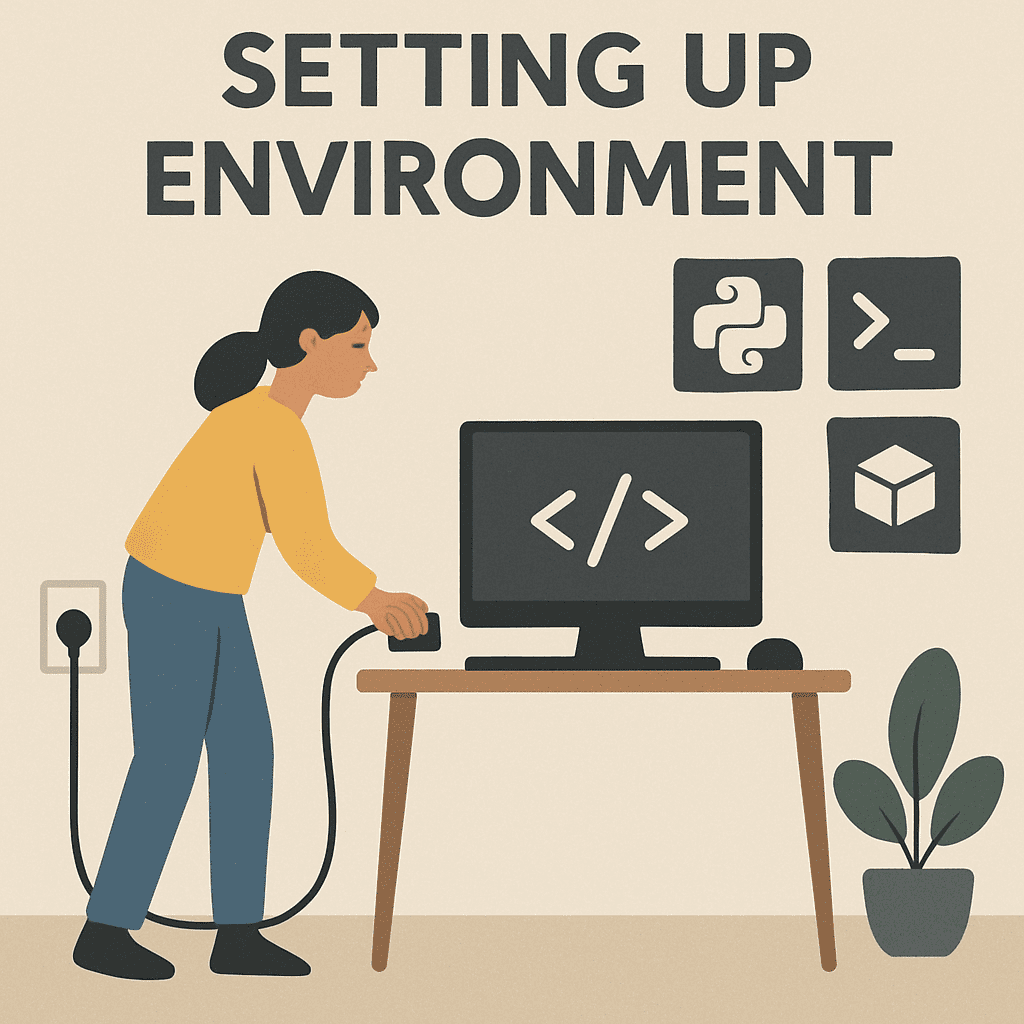
Once you’ve chosen your tools, the next step is setting up your environment. If you’re using Python, you’ll need to install Python and pip, a package manager for Python.
Installing Python and Pip
Begin by downloading and installing Python from the official website. Ensure that you select the option to add Python to your system PATH during installation. Pip, Python’s package manager, is usually included with the Python installation, allowing you to install libraries effortlessly.
Installing Necessary Libraries
You can install BeautifulSoup and Scrapy using pip. Open your terminal or command prompt and run:
pip install beautifulsoup4 pip install scrapyThese commands will download and install the libraries, making them available for use in your scripts. Always ensure your libraries are up to date by periodically running pip install –upgrade for each package.
Configuring Your Development Environment
Choose a code editor that suits your workflow. Popular options include Visual Studio Code, PyCharm, and Sublime Text. Configure your editor with extensions and plugins that enhance your coding experience, such as syntax highlighting for Python and tools for debugging.
Version Control and Collaboration
Implementing version control using Git is crucial for managing your codebase. It allows you to track changes, collaborate with others, and revert to previous versions if needed. Platforms like GitHub and GitLab provide repositories for hosting and sharing your code.
Step 3: Understanding the Website Structure
Before writing your scraper, it’s important to understand the structure of the website you intend to scrape. Use your browser’s developer tools to inspect the elements you want to extract. Look for unique identifiers like classes or IDs.
Navigating the DOM with Developer Tools
Developer tools, accessible in browsers like Chrome and Firefox, provide a comprehensive view of a webpage’s structure. By right-clicking on elements and selecting “Inspect,” you can explore the HTML and CSS that define the page’s appearance and content.
Identifying Key Data Points
When examining the HTML, identify the tags and attributes that encapsulate the data you wish to extract. Look for unique identifiers such as class names and IDs, which can be used to precisely target elements within your scraper script.
Handling Complex Structures
Websites often contain nested elements, making it necessary to understand the hierarchy of the DOM. Practice traversing parent and child elements to access deeply nested data. Consider potential changes in the website’s structure and design your scraper to adapt accordingly.
Inspecting Elements
Right-click on the page and select “Inspect” to open the developer tools. This will show you the HTML structure, and you can identify the tags that contain the data you need.
Step 4: Writing the Scraper
With a clear understanding of the website’s structure, you can now start coding your scraper. Here’s a basic example using BeautifulSoup:
import requests from bs4 import BeautifulSoup
URL of the website you want to scrape
url = 'https://example.com'Send a request to fetch the HTML content
response = requests.get(url)Parse the HTML content
soup = BeautifulSoup(response.text, 'html.parser')Extract data using tags and classes
data = soup.find_all('div', class_='example-class') for item in data: print(item.text)Structuring Your Scraper Code
Organize your scraper script into logical sections. Start by defining the target URL and sending an HTTP request to retrieve the content. Next, parse the HTML and identify the elements containing the desired data. Finally, implement loops and conditions to handle multiple data points efficiently.
Error Handling and Data Validation
Incorporate error handling to manage potential issues, such as connection errors or missing data. Use try-except blocks to catch exceptions and implement fallback mechanisms. Validate the extracted data to ensure its accuracy and completeness, discarding any irrelevant or malformed information.
Optimizing Performance
Optimize your scraper’s performance by minimizing the number of requests sent to the server. Leverage caching mechanisms to store previously retrieved data and reduce redundant requests. Consider using asynchronous programming techniques to handle multiple requests concurrently, improving efficiency.
Step 5: Handling Dynamic Content
Some websites load content dynamically using JavaScript. In such cases, libraries like Selenium can be used to simulate a browser and scrape dynamic content.
Understanding Dynamic Content Loading
Dynamic content is often loaded asynchronously using JavaScript, presenting a challenge for traditional scraping techniques. This content may not be visible in the initial HTML response, requiring additional steps to access and extract it.
Using Selenium for Dynamic Content
Selenium allows you to interact with web pages like a real user. Here’s a simple example:
from selenium import webdriver
Path to the WebDriver executable
driver_path = '/path/to/chromedriver'Initialize WebDriver
driver = webdriver.Chrome(driver_path) driver.get('https://example.com')Extract dynamic content
content = driver.find_element_by_class_name('dynamic-class').text print(content)Close the browser
driver.quit()Headless Browsers for Efficient Scraping
Headless browsers, such as Puppeteer, provide a more efficient approach to scraping dynamic content. They run without a graphical interface, reducing resource consumption and speeding up the scraping process. Puppeteer, designed for Node.js, offers a high-level API for automating web page interactions.
Handling JavaScript-Rendered Content
When dealing with JavaScript-rendered content, consider using techniques like waiting for specific elements to load before extracting data. Selenium provides methods to implement explicit waits, ensuring the page is fully loaded before proceeding with data extraction.
Step 6: Storing the Data
After extracting the data, you’ll want to store it in a usable format. Common formats include CSV, JSON, or databases.
Choosing the Right Data Format
Select a data format that aligns with your project’s requirements. CSV is ideal for tabular data and is easily opened in spreadsheet applications. JSON is suitable for hierarchical data and is widely used in web applications. For large datasets, consider storing data in a database for efficient querying and retrieval.
Saving Data to CSV
You can use Python’s built-in csv module to save data to a CSV file:
import csv
List of data to save
data = ['Title 1', 'Description 1', 'Title 2', 'Description 2']Write data to CSV
with open('data.csv', 'w', newline='') as file: writer = csv.writer(file) writer.writerow('Title', 'Description') writer.writerows(data)Using Databases for Large Datasets
For extensive datasets, databases offer structured storage and efficient querying capabilities. Popular options include SQLite for local storage and PostgreSQL or MySQL for larger projects. Use libraries like SQLAlchemy to interact with databases from Python, ensuring data integrity and scalability.
Data Cleaning and Transformation
Before storing, consider cleaning and transforming the data to enhance its usability. Remove duplicates, standardize formats, and handle missing values. Data transformation processes, such as normalization and aggregation, can improve data quality and facilitate analysis.
Step 7: Respecting Ethical Considerations
While web scraping is a powerful tool, it’s important to use it ethically. Always check a website’s terms of service to ensure that scraping is allowed. Additionally, be mindful of the load your scraper puts on a website’s server.
Tips for Ethical Scraping
- Respect the website’s robots.txt file, which indicates which pages can be scraped.
- Avoid overloading servers with too many requests in a short period. Implement delays between requests if necessary.
- Do not scrape personal or sensitive data without permission.
Understanding Robots.txt
The robots.txt file provides instructions for web crawlers on which parts of a website can be accessed. Adhering to these guidelines helps maintain a cooperative relationship with website owners. Use libraries like robotparser to programmatically check a site’s robots.txt file before scraping.
Implementing Rate Limiting
To prevent overloading a website’s server, implement rate limiting in your scraper. Introduce delays between requests using Python’s time.sleep() function. For more advanced control, consider using libraries like ratelimit to manage request frequency programmatically.
Seeking Permission and Collaboration
When in doubt, reach out to website owners for permission to scrape their data. Building a collaborative relationship can lead to mutually beneficial outcomes, such as access to data through official APIs. Prioritize transparency and respect in all interactions to maintain ethical standards.
Conclusion
Building a web scraper can open up new possibilities for data collection and analysis. By following these steps and using the right tools, you can create an effective scraper tailored to your needs. Remember to respect ethical guidelines and legal requirements while scraping, ensuring that your efforts are both productive and responsible.
With this guide, you’re well on your way to mastering the art of web scraping. Happy scraping!